




Got your popcorn ready to watch John Wayne Gacy: Devil in Disguise or Bel-Air on Peacock TV, only to find out the platform isn't available outside the US? Like many popular streaming platforms, Peacock TV is geographically restricted. However, if you’re traveling or live abroad, you can use a VPN to watch Peacock abroad.
With a VPN, you can easily bypass Peacock TV's regional restrictions. By connecting to a server in the US, your initial IP address gets replaced with one from that country, making it look like you’re accessing the platform from the states.
Considering that streaming services employ advanced measures to prevent VPNs, only the most reputable providers can reliably bypass Peacock’s restrictions. Therefore, I spent a full week testing the leading options and selected the best 5 Peacock TV VPNs.

Top 5 Peacock VPNs in 2026
- 1. NordVPN – best Peacock TV VPN overall
- 2. Surfshark – affordable VPN for streaming
- 3. Total VPN – secure VPN for streaming
- 4. ExpressVPN – user-friendly VPN for Peacock
- 5. CyberGhost – Peacock VPN with a massive server network
Why use a VPN to watch Peacock outside the US?
Due to copyright laws and distribution rights, Peacock is available only in the US. However, with a VPN, you can change your IP address and unblock Peacock from anywhere – whether you’re simply traveling or living abroad.
If you have already tried accessing Peacock TV without a US IP, you have probably been redirected to the NBCUniversal website, looking like this:

Once you connect to a US server of a high-quality VPN, your real IP address is replaced with an American one. This way, you can access Peacock instead of being redirected to another website.
The best streaming VPN for Peacock should have a large US server network, giving you plenty of alternatives to switch to if the platform blocks a shared IP address. The VPN should also use leading tunneling protocols, retain fast speeds, or even include dedicated streaming features, like SmartDNS.
Best VPNs for Peacock in 2026: detailed reviews
To find the best VPN for Peacock, I’ve put 13 VPNs to the test. During my week-long research, I looked for VPNs with the largest US server fleets, fastest connection speeds, most stable IP protection, and superior security features. Finally, I narrowed it down to this list of the top 5 VPNs that unblock Peacock abroad most efficiently.
1. NordVPN – best Peacock VPN in 2026

- Unblocks Peacock effortlessly
- Has 2,990+ US servers
- Includes dedicated streaming features
- Retains a super-fast connection speed
- Doesn’t have a free version
NordVPN is the best VPN for watching Peacock outside the US. In my latest test, it unblocked Peacock instantly, using servers in New York, San Francisco, Miami, and other states. With an impressive network of 21 US server locations, this VPN makes it easy to access Peacock reliably, even if one server happens to get flagged.

| Location | Panama |
| Number of servers in the US | 2,990+ servers in 21 locations |
| Speed retention rate | 95% |
| Price starting | from $3.39/month |
During the NordVPN review, the provider retained around 95% of my base connection speed, with the NordLynx protocol enabled. Combining this result with a large US server network, you can expect no less than a smooth and lag-free streaming experience anywhere you go.
With NordVPN, you get a SmartDNS that lets you unblock content on devices that don’t support VPN apps, while SmartPlay helps mask VPN usage, giving you a more reliable way to get around Peacock’s anti-VPN filters. Security-wise, this VPN stands out with advanced features like AES-256 encryption, a built-in ad and tracker blocker, and leak protection.
Finally, NordVPN is priced very fairly, with prices starting from $3.39/month. You can also take advantage of a 3-day free trial (available through Android devices) and a 30-day money-back guarantee.
2. Surfshark – budget VPN for streaming Peacock abroad


- Allows unlimited simultaneous connections
- Subscription prices start from $1.99/month
- Easily unblocks Peacock TV
- Prices increase upon subscription renewal
When testing Surfshark for Peacock TV, I quickly realized this is the best VPN option budget-wise. With it, I was able to unblock Peacock from abroad using all of the US server locations it offered, and the connection stayed stable on every device I used.

| Location | The Netherlands |
| Number of servers in the US | 600+ servers in 24 locations |
| Speed retention rate | 89% |
| Price starting | from $1.99/month |
When reviewing Surfshark, it retained around 89% of my baseline speed. While that’s slightly behind NordVPN, the fast WireGuard protocol and servers in 24 US locations still allowed this VPN to stream Peacock videos lag-free and in full HD. Moreover, with the Smart DNS feature, Surfshark even worked on devices that don’t normally support VPN apps, like older smart TVs.
Surfshark also comes with a market-leading set of security and privacy tools. You get all essentials, like AES-256 encryption, a reliable kill switch, and split tunneling. The built-in CleanWeb feature blocks ads, pop-ups, and malicious domains, which is especially handy when browsing beyond Peacock.
The best part here is the pricing. Surfshark’s subscriptions start from $1.99/month and one subscription covers unlimited devices at the same time. You can also benefit from a 7-day free trial and a 30-day money-back guarantee.
3. Total VPN – Peacock VPN with extra security tools


- Offers an antivirus
- Includes an ad blocker
- Unblocks Peacock from abroad
- Privacy policy hasn’t been audited
In my test, Total VPN not only allowed me to access Peacock but also helped me to prevent various security threats. This reliable VPN comes from one of the market-leading cybersecurity companies, offering a top-tier antivirus, ad blocker, password manager, and more.

| Location | The UK |
| Number of servers in the US | Servers in 24 US locations |
| Speed retention rate | 80% |
| Price starting | from $1.59/month |
Total VPN doesn’t disclose the exact number of servers it operates across 24 US locations. However, during my testing, I was able to access Peacock easily using servers in Atlanta, Seattle, and Orlando. Although this VPN does not include the WireGuard tunneling protocol, it still maintained around 80% of my baseline speed, allowing me to stream videos without any noticeable lag.
While Total VPN may not offer a multitude of advanced features, it does provide robust AES-256 encryption and a reliable kill switch. Additionally, it's part of a comprehensive cybersecurity suite that even includes the TotalAV antivirus protection.
Total VPN’s prices start from $1.59/month and a single account can have up to 8 simultaneous connections, depending on your chosen plan. You can test the VPN risk-free using a 7-day free trial on Android devices and a 30-day money-back guarantee.
4. ExpressVPN – premium VPN with easy-to-use apps


- Simplistic and powerful applications
- Works with Peacock and all major streaming services
- Includes advanced security features
- Priciest VPN on the list
- The exact number of US servers isn’t disclosed
Testing ExpressVPN for Peacock TV was effortless from the start, thanks to its intuitive user interface. Even though the exact number is unknown, ExpressVPN boasts servers all around the US, making it easy to find the one that works with Peacock. In my test, only a couple of server locations didn’t work, including Boston and Detroit.
| Location | The British Virgin Islands |
| Number of servers in the US | Servers in all 50 US states |
| Speed retention rate | 88% |
| Price starting | from $2.44/month |
During the ExpressVPN review, the provider retained over 88% of my baseline speed while using its proprietary Lightway protocol. This allowed me not only to stream Peacock in Europe smoothly but also to access other US streaming services like YouTube TV or Sling TV without any buffering. Plus, by using the MediaStreamer (Smart DNS), I could watch Peacock even on devices that don’t support VPN apps natively.
When it comes to privacy and security, this VPN stands out with its TrustedServer technology that ensures no user data is ever stored. With AES-256 encryption, an ad blocker, parental controls, and other advanced privacy tools, ExpressVPN is not far behind NordVPN or Surfshark.
On the other hand, this is one of the priciest VPNs among the top providers. ExpressVPN’s subscriptions start from $2.44/month and a single account allows up to 14 parallel connections, depending on your plan. You can try it risk-free with a 7-day free trial on mobiles and a 30-day money-back guarantee.
5. CyberGhost – VPN with dedicated streaming servers


- Multiple server categories
- Cheap subscriptions
- Extended money-back guarantee
- Allows only up to 7 simultaneous connections
- Lacks advanced security features
CyberGhost is another great VPN for watching Peacock outside the USA due to its diverse server fleet and budget-friendly prices. Its dedicated streaming servers made it easy for me to access Peacock abroad using servers in Los Angeles and Chicago.
| Location | Romania |
| Number of servers in the US | Servers in 11 locations |
| Speed retention rate | 88% |
| Price starting | from $2.03/month |
During the CyberGhost review, I found this VPN to have servers in 11 US states. While CyberGhost doesn’t offer as many US server locations as NordVPN or Surfshark, its WireGuard tunnel still allowed it to retain 88% of my baseline speed and stream videos lag-free. Moreover, I appreciated having separate server lists for gaming and torrenting.
For extra privacy, CyberGhost also offers NoSpy servers located at its headquarters in Romania, ensuring that no third party can interfere with your online safety. Beyond that, the VPN uses industry-leading encryption and offers a reliable kill switch, a Double VPN, and a built-in ad blocker.
Without doubt, this VPN offers an excellent price-to-quality ratio. CyberGhost’s plans start from $2.03/month, but a single account can have only up to 7 simultaneous connections. Depending on your device, you can try it with a 1-, 3-, or 7-day free trial, and there’s also a generous 45-day money-back guarantee.
How I selected these VPNs for Peacock TV
Every streaming platform uses different measures to fight back against users who want to bypass geo-restrictions. Therefore, each time I prepare articles for unblocking certain streaming platforms, separate research is needed. This is what I paid attention to when selecting VPNs specifically for Peacock:
- Content unblocking capabilities (25%): I assessed each VPN by connecting to multiple server locations in the USA to see how consistently it could unblock Peacock.
- Connection speed (20%): With every VPN, I tested their available tunneling protocols and evaluated which providers retained the most of my initial connection speed.
- US server network (20%): I revised each VPN’s server fleet to distinguish providers with the largest server networks in the US.
- Extra features(20%): Although VPNs are primarily cybersecurity tools, I looked for providers that included additional streaming features.
- Compatibility (15%): For unlimited streaming capabilities, I selected VPNs with intuitive applications for all major operating systems and solutions for devices that don’t support VPN apps by default.
Best VPNs for Peacock compared
Still unsure which Peacock VPN is right for you? In the table below, I compare the top Peacock TV VPNs and their key features side by side, making it easy for you to make a quick, informed choice.
| NordVPN | Surfshark | Total VPN | ExpressVPN | CyberGhost | |
| Price | from $3.39/month | from $1.99/month | from $1.59/month | from $2.44/month | from $2.03/month |
| Free trial | ✅ (3 days on Android) | ✅ (7 days) | ✅ (7 days on Android) | ✅ (7 days on Android and iOS) | ✅1 (Windows, macOS), 3 (Android), or 7 (iOS) days |
| Server fleet | 8,300+ servers in 129 countries | 4,500+ servers in 100 countries | 1,800+ servers in over 90 countries | 3,000+ servers in 105 countries | 11,500+ servers in 100 countries |
| Servers in the US | 2,990+ servers in 21 locations | 600+ servers in 24 locations | Servers in 24 locations | Servers in all 50 US states | Servers in 11 locations |
| Audited no-logs policy | ✅ (by Deloitte) | ✅ (by Deloitte and Cure53) | ❌ | ✅ (by KPMG, Cure53, and PwC) | ✅ (by Deloitte) |
| Works with smart TVs | ✅Yes | ✅Yes | ✅Yes (only tvOS) | ✅Yes | ✅Yes |
How to watch Peacock outside the US with a VPN
If you’re travelling or reside outside the US, a VPN is necessary to watch your favorite videos on Peacock. Luckily, the process is straightforward with the right provider. Here, I will help you learn how to watch Peacock outside the US with a VPN in a few steps:
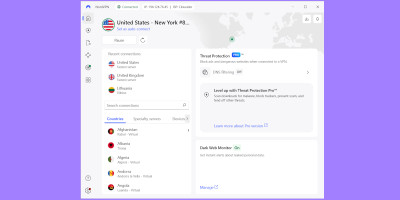
- Pick a VPN with servers in the US. My recommendation is NordVPN, which has 2,990+ servers in the US alone.
- Subscribe to the VPN service.
- Download the VPN application and install it.
- Log in to your account.
- Connect to a server in the USA, then check whether your IP address has changed and is not leaking by typing “What’s my IP” into Google Search.
- Open Peacock TV and start watching videos from anywhere.

How to watch Peacock in Europe
Accessing American streaming platforms in Europe (Germany, Spain, Italy, and elsewhere) can be a real headache if you don’t use the correct tools. Therefore, in this guide, I will show you how to watch Peacock in Europe with the help of a market-leading VPN.
- Choose a VPN with many servers in the US. My choice was NordVPN.
- Subscribe to a selected VPN plan.
- Download and install the VPN application.
- Launch the app and log in to your account.
- Go through the server list and connect to one based in the US, for example, New York or New Jersey.
- Type “What’s my IP” into Google Search and see whether your IP isn’t leaking.
- Open the Peacock website or app to begin streaming.
What countries is Peacock TV available in?
Currently, Peacock TV is available within the US and its territories, including American Samoa, Guam, Northern Mariana Islands, Puerto Rico, and the US Virgin Islands. You can also watch Peacock on Sky and NOW TV in Austria, Germany, Ireland, Italy Switzerland, and the UK.
Because of licensing agreements and distribution laws, Peacock is only accessible in the US and a few select European countries. If you’re located somewhere where Peacock TV is unavailable, the best solution is to use a streaming VPN, like NordVPN, to change your IP address.
Can I use a free VPN for Peacock?
Technically, you can use a free VPN for Peacock, but I strongly advise against it. Free VPNs usually come with weak features, tiny server networks, and, most importantly, serious privacy risks. Many log your online activity and sell that data to third parties, making you an easy target.
A much safer option is to use a freemium VPN. Premium providers like Proton VPN offer free versions that include essential, up-to-date security features. However, these plans often come with downsides, such as smaller server fleets and, in some cases, limited data or slower speeds.
Overall, if you want to watch Peacock using a free VPN, your best bet is to choose a premium VPN that offers a free trial. Providers like NordVPN and Surfshark both include free trials and money-back guarantees, so you can enjoy watching Peacock risk-free during your time abroad.
Conclusion
Peacock may be locked to US viewers, but with the right VPN, you can access your favorite shows and movies wherever you are. Not every VPN can bypass Peacock’s strict detection systems, which is why choosing a reliable provider is essential if you want smooth, uninterrupted streaming.
After a full week of testing, NordVPN stood out as the best VPN for Peacock TV in 2026. Its massive US server fleet, fast connection speeds, and consistent unblocking capabilities make it a reliable option for accessing geo-fenced streaming services.
Alternatively, you can try Surfshark, Total VPN, or any other VPN from my list. All of them offer free trials, so you can test their services risk-free.
Frequently asked questions
The best way to watch Peacock in Europe or anywhere else outside the US is by using a VPN. With a strong streaming VPN, like NordVPN, you can replace your IP address and unblock geo-restricted streaming platforms in a few simple steps.
All of the VPNs on my list, including NordVPN, Surfshark, Total VPN, and others, work with Peacock. To reliably access Peacock, a VPN must have servers located in the US, maintain fast connection speeds, and use advanced technology to bypass anti-VPN measures.
Peacock TV’s terms of use suggest that VPNs are not permitted, so the platform employs various measures to block them. It detects VPN usage by monitoring for shared IP addresses, geo-location mismatches, blacklisted IPs, and other indicators.