



ExpressVPN and NordVPN are still the biggest names in the VPN industry in 2026, offering the best-in-class privacy protection and performance. They have many similarities in terms of features and streaming unblocking capabilities.
However, after years of using both VPNs and conducting hands-on tests, I’ve identified areas where NordVPN may stand out, ExpressVPN falls short, and vice versa.
In my ExpressVPN vs NordVPN comparison, I broke down real-world streaming tests, evaluated pricing models, read through privacy policies, and analyzed independent lab results. I’ve discovered significant disparities that may influence your decision.

ExpressVPN is currently cheaper, but NordVPN provides unique features, like cloud storage and anti-malware scanners for application vulnerabilities and downloaded files. Plus, only NordVPN offers private payment methods with cryptocurrencies.
ExpressVPN vs NordVPN overview
 |
 |
|
|---|---|---|
| Rating | ||
| Overall rank | #1 of #16 | #4 of 16 |
| No logs policy | Yes, audited | Yes, audited |
| Pricing | from $3.39/month | from $2.44/month |
| Protocols | NordLynx, OpenVPN, IKEv2/IPsec | Lightway, OpenVPN, IKEv2, L2TP/IPSec |
| Streaming services | Netflix, HBO Max, Hulu, BBC iPlayer, and others | Netflix, Hulu, Disney+, HBO Max and more |
| Connections | 10 | 14 |
| Support | 24/7 live chat support | 24/7 live chat support |
| Servers and countries | 8,300+ servers in 129 countries | 3,000+ servers in 105 countries |
 Winner:NordVPN |
Both NordVPN and ExpressVPN are strong VPN contenders in the industry, and either one can be a great addition to your online privacy or geo-block bypassing. Still, there are areas where one is stronger than the other.
I evaluated their geo-block bypassing capabilities and streaming performance by connecting to different servers and accessing streaming sites in Incognito mode. Then, I also reviewed and tested each provider's security features, including DNS leak protection for 25-minute sessions to assess reliability, customer support, privacy, and usability.
Speed and performance
NordVPN and ExpressVPN both use proprietary tunneling protocols – NordLynx and Lightway, respectively. Both protocols are upgraded versions of the WireGuard protocol and are known to show some of the best results in the industry.
I used the Speedtest by Ookla tool to measure the performance of both VPNs in different locations. All tests were performed in Incognito mode so that cookies and cache wouldn’t affect results.
Baseline: 280 Mbps
| NordVPN | ExpressVPN | |
| The US | 202 Mbps (72.14%) | 191 Mbps (68.21%) |
| The UK | 264 Mbps (94.29%) | 257 Mbps (91.79%) |
| Australia | 217 Mbps (77.5%) | 194 Mbps (69.29%) |
| Germany | 262 Mbps (93.57%) | 230 Mbps (82.14%) |
| Japan | 209 Mbps (74.64%) | 205 Mbps (73.21%) |
| Average speed retention rate | 82.43% | 76.93% |
| Tunneling protocol | NordLynx | Lightway |
My tests showed that NordVPN is faster than ExpressVPN, retaining 82.43% of initial connection speeds on average compared to ExpressVPN’s 76.93%. The difference isn’t large, so I didn’t notice a visible difference during a 20-minute browsing session.
Still, while streaming for 25 minutes, NordVPN showed less buffering with servers in the farthest locations than ExpressVPN.
I also found the West Coast Labs test – it put ExpressVPN’s Lightway protocol and NordVPN’s NordLynx against each other. With a 1000 Mbps baseline, NordVPN retained 817 Mbps on average, while ExpressVPN – 788 Mbps.
NordVPN also comes with optimized P2P servers, which are optimized for torrenting, while ExpressVPN says P2P is supported on all servers. Still, I found that NordVPN offers better speeds on P2P servers than ExpressVPN’s servers in the same location.
During my test with 5 torrent files, the same files were downloaded around 1 minute and 21 seconds faster on average than with ExpressVPN.
Conclusion: NordVPN is faster than ExpressVPN by 5.5% according to my tests. While the difference isn’t noticeable while browsing, the streaming and torrenting experience was visibly faster with NordVPN.

Pricing breakdown
NordVPN and ExpressVPN both have multiple plans with different features available. You can subscribe to any of them for 1 month, 1 year, or 2 years. However, ExpressVPN is currently cheaper than NordVPN, considering both the initial and renewal pricing.
Here’s a table explaining the pricing of both VPNs:
| NordVPN | ExpressVPN | |
| 1-month plan | From $12.99/month | From $12.99/month |
| 1-year plan | From $4.99/month | From $3.49/month |
| 2-year plan | From $3.39/month | From $2.44/month |
| Renewal price | From $5.79/month | From $4.16/month |
| Simultaneous connections | 10 | 10 to 14 (depends on plan) |
| Free trial | 3 days (Android) | 7 days (Android and iOS) |
| Money-back guarantee | 30 days | 30 days |
Throughout my years of testing VPNs, ExpressVPN has always been more expensive than NordVPN. In February 2026, it lowered its prices, so time will show whether it’s a long-term decision or just a Valentine’s Day deal.
When subscribing for a month, the entry plan (Basic) of NordVPN and ExpressVPN costs the same – $12.99/month. This plan gives you a VPN, up to 10 simultaneous connections, and an ad blocker with both VPNs.
Other monthly plans are expensive with both providers, so I wouldn’t suggest this as a long-term subscription model. Instead, opting for 1- or 2-year plans will secure you the best prices.
The savings are highest with the 2-year plans. For example, you only pay $2.44/month for ExpressVPN’s entry plan or $3.39/month for NordVPN’s entry plan (Basic).
If you want more features with NordVPN, like dark web monitoring, Threat Protection Pro, and a password manager, you’ll need the Plus plan from $3.89/month. ExpressVPN offers the Advanced plan, which also adds Advanced Protection, a password manager, ExpressMailGuard, and an identity defender from $3.14/month.
Considering you get more features for cheaper, and the simultaneous connections rise to 12, ExpressVPN offers better value for your money.
However, I have to consider what the pricing pages don’t show. For example, NordVPN has specialty servers, like double VPN and Onion over VPN, which ExpressVPN doesn’t offer. It also comes with Meshnet for secure file transfers and dark web monitoring. With ExpressVPN, dark web monitoring is only available for US users.
Conclusion: ExpressVPN is cheaper than NordVPN, with 2-year plans starting from $2.44/month and $3.39/month, respectively. ExpressVPN also offers cheaper renewals, $4.16/month compared to NordVPN’s $5.79/month.
Payment methods
NordVPN offers more payment methods than ExpressVPN. While both VPNs allow buying subscriptions with credit cards, Apple Pay, PayPal, or Google Pay, only NordVPN allows paying with cryptocurrencies.

Although older reviews claim that ExpressVPN offers cryptocurrency payments, I wasn’t provided such an option at checkout. I also couldn’t find the information on ExpressVPN’s payment method page, which means they no longer provide it.

Paying with cryptocurrencies is especially useful for extra privacy. You can pay for the VPN anonymously, so even your VPN provider can’t see your payment data.
Security features
ExpressVPN and NordVPN both offer the essentials that every VPN must have. This includes kill switches that have never failed to disconnect me from the internet when my connection is disrupted, or DNS leak protection that prevents DNS requests from being exposed.
Both services also offer dark web monitoring, alerting you if your data gets leaked on the dark web.
| NordVPN | ExpressVPN | |
| AES-256 encryption | ✅Yes | ✅Yes |
| Kill switch | ✅Yes | ✅Yes |
| Ad and tracker blocker | ✅Yes | ✅Yes |
| DNS leak protection | ✅Yes | ✅Yes |
| Password manager | ✅Yes | ✅Yes |
| Dark web monitoring | ✅Yes | ✅Yes |
| Browsing protection | ✅Yes (Advanced) | ✅Yes (Basic) |
| Anti-malware scanner | ✅Yes | ❌No |
| Encrypted cloud storage | ✅Yes | ❌No |
| Identity theft insurance | ✅Yes ($1M in coverage) | ✅Yes ($1M in coverage) |
| Email protection | ✅Yes (scans email links) | ✅Yes (provides fake aliases) |
While you can get browsing protection with both VPNs, NordVPN’s feature is more advanced. For example, you can block ads, trackers, and malicious sites with both tools. But NordVPN’s Threat Protection Pro also offers scam alert, search result safety indicator, crypto wallet address checker, hijacked session alert, and email protection.
ExpressVPN also lacks anti-malware features. Meanwhile, NordVPN scans downloaded files for malware and uses a vulnerability scanner to detect security weaknesses in applications.
If you subscribe to the Complete or Prime plan of NordVPN, you also get 1 TB of cloud storage. ExpressVPN doesn’t have this feature available.
Still, ExpressVPN does have a unique feature called ExpressMailGuard. It lets you use fake temporary email addresses to give to websites and then forwards the emails back to your real email address. This ensures that your email stays private.
Conclusion: NordVPN offers more features than ExpressVPN, with a malware scanner, vulnerability scanner, and cloud storage in its arsenal. Both VPNs have all the essentials, such as a kill switch and ad or tracker blocker, available.
Privacy
Both NordVPN and ExpressVPN operate in privacy-friendly jurisdictions that are outside the 14 Eyes surveillance alliance and come with audited no-logs policies. Here’s a quick overview of the main information regarding privacy:
| NordVPN | ExpressVPN | |
| Based in: | Panama | British Virgin Islands |
| Surveillance alliance: | Outside 5/9/14-eyes | Outside 5/9/14-eyes |
| No-logs policy | Audited | Audited |
| Cryptocurrency payments | ✅Yes | ❌No |
| RAM servers | ✅Yes | ✅Yes |
I read the privacy policies of both VPNs to find out what data they collect and what they don’t. Here are the main similarities and differences:
- Both VPNs collect no logs, including no browsing history, traffic logs, or IP addresses.
- NordVPN’s no-logs policy has been audited 5 times, while ExpressVPN’s – 3 times.
- Both VPNs collect email addresses and payment information for account creation.
- NordVPN collects the timestamp of the last session (deleted within 15 minutes).
- ExpressVPN collects VPN usage dates (not exact times).
- ExpressVPN collects the server locations you choose and bandwidth usage.
- NordVPN provides quarterly transparency reports.
ExpressVPN and NordVPN both offer RAM-based servers (called TrustedServer technology on ExpressVPN). This means that no data is stored on physical drives, making it impossible for anyone to steal.
Conclusion: NordVPN’s privacy policy has been audited 5 times by different auditing firms, including PwC and Deloitte. Unlike ExpressVPN, it offers cryptocurrency payments to ensure your payment details stay private.
Streaming
Both NordVPN and ExpressVPN effortlessly bypass geo-restrictions on streaming services. I tested them with multiple Netflix libraries and other streaming sites while in Incognito mode. Here are the streaming platforms that each VPN unblocked and the exact servers I used:
| NordVPN | ExpressVPN | |
| Netflix US | ✅Yes (New York #9914) | ✅Yes (Washington DC) |
| Netflix UK | ✅Yes (London #2053) | ✅Yes (Docklands) |
| Netflix Japan | ✅Yes (Tokyo #736) | ✅Yes (Shibuya) |
| Hulu | ✅Yes (New York #9914) | ✅Yes (Washington DC) |
| Peacock TV | ✅Yes (New York #9336) | ✅Yes (Washington DC) |
| 7Plus | ✅Yes (Perth #778) | ✅Yes (Melbourne) |
| Paramount+ | ✅Yes (New York #9914) | ✅Yes (Washington DC) |
With NordVPN, the streaming experience was smoother than with ExpressVPN. While both handled HD streaming without any buffering, NordVPN excelled in 4k streaming. During a 25-minute streaming session from Lithuania with a server in the US, it didn’t lag at all.
Meanwhile, with ExpressVPN, I experienced occasional buffering while watching Netflix US in 4K. The same situation occurred with Netflix Japan and 7Plus in Australia, where NordVPN worked without issues.

However, when connected to countries closer to my physical location, like the UK, no buffering was visible with either of the VPNs.
Plus, ExpressVPN and NordVPN both have native apps for the same devices. Aside from Windows, macOS, Linux, Android, and iOS, you can also set it up on Apple TV, Amazon Fire TV, Nvidia Shield, and Android TV. On devices without apps, like Samsung TV, Chromecast, or Roku, you can set the VPN up on your router.
Conclusion: I’d choose NordVPN for streaming simply because it provides a lag-free experience. And I think it’s the most important aspect to look at, considering geo-block bypassing capabilities are virtually the same.
Server network
NordVPN offers more servers than ExpressVPN. With NordVPN, you get 8,300+ servers in 129 countries, while ExpressVPN comes with an undisclosed number of servers in 105 countries.
NordVPN also offers more types of specialty servers and more dedicated IP locations. Here are the server networks reviewed:
| NordVPN | ExpressVPN | |
| Server network | 8,300+ servers in 129 countries | Servers in 105 countries |
| Double VPN servers | ✅Yes | ❌No |
| Obfuscated servers | ✅Yes | ✅Yes |
| Onion over VPN servers | ✅Yes | ❌No |
| P2P servers | ✅Yes | ✅Yes |
| Dedicated IP servers | ✅Yes (30 countries) | ✅Yes (22 countries) |
To help you understand what the specialty servers are, I explained each type below:
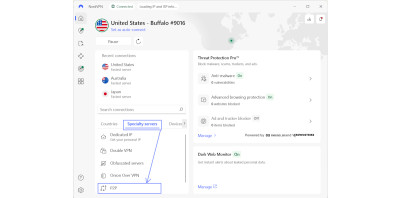
- Double VPN – NordVPN offers a double VPN feature, which routes your traffic through two servers instead of one. ExpressVPN doesn’t have such servers.
- Obfuscated servers – traffic obfuscation is designed to hide the fact that you’re using a VPN, making geo-block bypassing easier. NordVPN lets you select obfuscated servers when needed, while ExpressVPN supports obfuscation on all servers.
- Onion over VPN – servers that route your traffic through both a VPN and the Tor (Onion) network, ensuring extra security. Only NordVPN offers these servers (in the Netherlands, Sweden, and Switzerland).
- P2P servers – servers optimized for torrenting. Both VPNs support torrenting on all servers, but NordVPN provides a separate list of P2P servers for the best performance.

Conclusion: NordVPN excels in terms of server networks. You get servers in 129 countries compared to ExpressVPN’s 105 countries, more specialized server types, and more dedicated IP server locations.
Usability
Both NordVPN and ExpressVPN have apps for Windows, macOS, Linux, Android, and iOS. Over the years, both providers have changed their app designs, striving to find the perfect balance between advanced functionality and accessibility for all users.
Desktop apps
Half of NordVPN’s interface used to be the huge, interactive map. Now, the interface prioritizes security features like Threat Protection Pro beside a list of countries. A map is still visible, but no longer interactive.
You can also easily switch between the server list, specialty servers, and devices on Meshnet, making it feel like NordVPN prioritizes the most important features on the main dashboard.

As for ExpressVPN, the design is minimalist. It’s a great option for new users who aren’t yet familiar with VPNs. The features can be found through the menu button, and there are also recommended locations for quick selection.
As a long-time user, it’s quite annoying that you have to click an extra button each time you want to change a server location. With NordVPN, you can instantly pick a server once you open the app.
Mobile apps
I liked that ExpressVPN and NordVPN offer consistent interface designs across desktop and mobile apps. The Android and iOS apps of NordVPN still include an interactive map that you can click to connect.
You can also access all specialty servers and server locations by simply scrolling down from the main dashboard. Meanwhile, Threat Protection, dark web monitoring, and Meshnet are all available in the lower bar.

To be honest, I found ExpressVPN’s mobile app more intuitive than the desktop one. It lets you access all features through the “add-ons” section, while the main dashboard gives you protection statistics and quick protocol selection.
Conclusion: Both NordVPN and ExpressVPN have well-designed apps for desktop and mobile devices. I’d recommend NordVPN for users who value a clear interface with well-explained features. Meanwhile, ExpressVPN is better for users who value minimalism.
Customer support
ExpressVPN and NordVPN offer 24/7 live chat support, so I put them to the test and analyzed other service options. Here are the results:
- NordVPN agents replied in around 1.12 minutes on average, while ExpressVPN’s took slightly longer – 1.23 minutes.
- The agents of both VPN services were proactive, sent me detailed messages, or directed me to relevant support center articles when needed.
- Both providers offer useful articles in the help center or knowledge base – router setup guides, streaming service unblocking help, connection issue troubleshooting, and more.
- NordVPN and ExpressVPN have active YouTube channels with guides on how to use or set up a VPN.
Conclusion: Both ExpressVPN and NordVPN have excellent customer support teams that reply fast, no matter the time of day. They answer all questions in a way that any non-technical user would understand and provide additional resources.
Final thoughts
Both NordVPN and ExpressVPN remain excellent options for everyday use and privacy while browsing. They offer independently audited no-logs policies, best-in-market security features, and reliable streaming access.
However, my tests revealed that NordVPN is better than ExpressVPN. It delivers faster speeds across different locations, smoother 4K streaming, and a larger server network. Plus, it has advanced features like malware scanning and encrypted cloud storage, which ExpressVPN lacks.
After years of being known as a premium-priced VPN, ExpressVPN lowered its prices and is now cheaper than NordVPN. Still, it doesn’t disclose its server network size and lacks specialized servers.
Frequently asked questions
NordVPN and ExpressVPN offer similar features, but NordVPN is faster and has a better server network. According to West Coast Labs testing firm’s results, I calculated that in the UK, US, Singapore, and Australia, NordVPN showed 82.43% speed retention rates, while ExpressVPN showed 76.93%.
My real-world streaming tests reflected similar results, since I experienced less lag during 4K streaming with NordVPN. Plus, NordVPN offers more unique features, such as cloud storage and anti-malware scanners for downloaded files and app vulnerabilities.
ExpressVPN is a great VPN for security or geo-restriction bypassing, but I found that it has some flaws. It doesn’t offer dedicated P2P servers, which could help improve the torrenting experience, and doesn’t disclose its server count. There’s no way of knowing whether it has just a few servers per location or hundreds.
No, the FBI can’t track NordVPN because it operates a no-logging policy. It means that the VPN doesn’t track your IP address, browsing activities, or other identifiable data. Even if government institutions seized any of the servers, they wouldn’t be able to find any information about your activities.
ExpressVPN is based in the British Virgin Islands, which is a privacy-friendly location. There are no mandatory data retention laws, and the territory doesn’t belong to the 14 Eyes surveillance alliance.